


How To Use Chevy Remote Start With The Chevy App
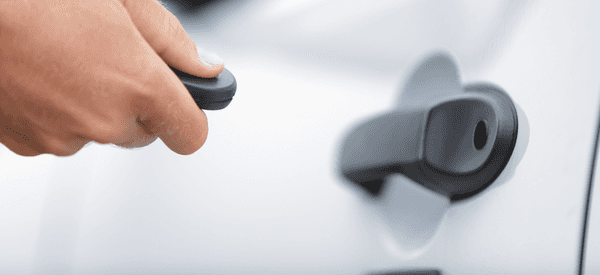 Chevrolet’s goal is to make your life easy and convenient. That’s why all new Chevrolet models have available remote start, accessible on your vehicle’s key fob and through the MyChevrolet app. Using impressive Chevy technology, the remote start function warms or cools your vehicle’s cabin before entry so it’s comfortable when you get in, allows you to warm up your vehicle’s engine, and integrates with your vehicle’s anti-theft system. Chevy Remote Start is especially useful during winter driving with cold temperatures and icy conditions. Stop in to Gordon Chevrolet to get Chevy Remote start on your vehicle now!
How to Use Remote Start
Using Chevy Remote Start with the MyChevy App can be done in just a few simple steps. First, you’ll want to make sure your Chevy vehicle is equipped with a remote-operated starter. You can check your MyChevrolet app “Key Fob” page to make sure. If you see a remote-start button shaped like a curved arrow (on the physical key fob, this will be right below the lock and unlock buttons), then you have remote start capabilities.
Once you’re ready to remote start your vehicle, you can use the MyChevrolet app remote start from anywhere. Start by first pressing the lock button to lock your car before it starts your engine for safety and security purposes. You will not be able to remote start your vehicle until it has been locked beforehand. Then, immediately press and hold the remote start button for at least four seconds. Your engine will then roar to life.
Things to Keep In Mind
When you remote start your vehicle, your engine will run for only 15 minutes before it shuts down itself. The time limit is meant to preserve power in case you change your mind or forget your vehicle is started. If the 15 minutes runs out before you’re ready to depart, you can repeat the remote start process within 30 seconds of the first run time, for a total of 30 minutes. If you changed your mind about leaving, you can easily turn your engine off by pressing and holding the remote start button just like you do to turn it on.
If you can’t get your remote start to work, keep in mind that the function is disabled if the hood is not closed, if the key fob is inside the car (to prevent you from locking yourself out), or if the hazard lights are on. Check these first if you’re having any trouble.
Benefits of the MyChevrolet App
It’s smart, simple, and seamless. The MyChevrolet app uses Chevy technology and is designed to connect you to your vehicle at any time anywhere, available now on the Apple App Store or Google Play Store. Turn your compatible smartphone into a mobile command center for your vehicle—even when you’re not near it. The available MyChevrolet Mobile App has almost everything you need to take your ownership experience to the next level—and it’s just a download away. One of its most popular uses is as a Chevy Remote Start app, but you can also manage your vehicle’s diagnostics, schedule service, locate your vehicle, and do so much more all from your smartphone.
Visit Gordon Chevrolet!
Looking for a Chevy Jacksonville? At Gordon Chevy, we have a great selection of new and used cars Orange Park, FL. Our sales staff is eager to help you find the model that you will love. Experience what sets us apart from other Orange Park car dealerships – we promise to deliver customer service that satisfies all of your automotive needs. Visit us to learn more about Chevy Remote Start with the MyChevrolet App today!
0 comment(s) so far on How To Use Chevy Remote Start With The Chevy App