Chevy Memory Settings and Driver Personalization

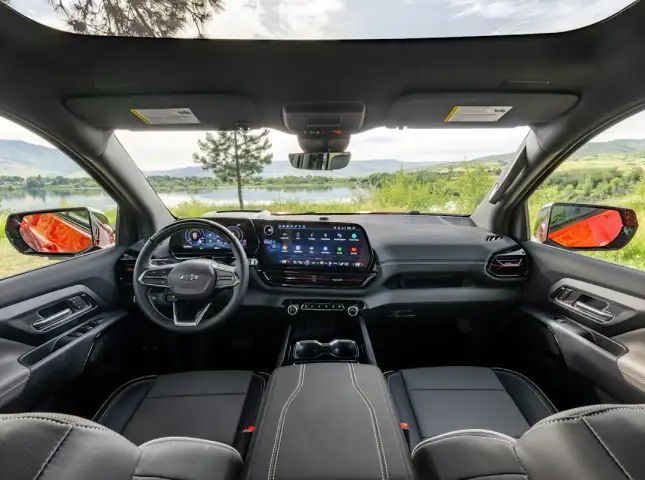
Customizing your cabin experience is effortless with Chevrolet Memory Settings and Driver Personalization. This technology eliminates the frustration of readjusting your environment every time someone else gets behind the wheel. By synchronizing the power driver seat, exterior mirrors, and the steering column, your vehicle creates a tailored space the moment you settle in. Whether you share a vehicle with a family member or simply want different configurations for city and highway travel, these integrated systems ensure your SUV adapts to you.


Enhanced Comfort for Jacksonville Summers

Stepping into a leather-appointed cabin during a humid Florida afternoon is more comfortable when your vehicle handles the logistics for you. In the Jacksonville heat, these personalization features offer more than just a correct seating angle; they provide a more seamless entry and exit process.

  • Humidity-Friendly Easy Exit: Activating the "Easy Exit" function allows the driver's seat to glide back and the steering wheel to lift automatically when the engine is cut. This creates maximum clearance, helping you avoid sticking to the upholstery as you slide out of the cabin.
  • Rapid Cooldown Alignment: Linking your profile to your specific key fob ensures that your seat is already moving to your preferred position as you unlock the doors at the St. Johns Town Center. You can spend less time fumbling with levers and more time letting the air conditioning reach its peak efficiency.
  • Precision Mirror Tilt: Navigating tight beach-side parking along the Atlantic coast is safer when your mirrors are perfectly calibrated to your height every single time you shift into drive.

Memory Setting Checklist for Local Drivers

Before you lock in your profile, ensure every component is aligned for your daily commute on I-295. Following this checklist ensures your memory bank is accurate and comprehensive.


  • Mirror Calibration

    Angle both power mirrors so you have a clear view of Jacksonville traffic.

  • The Set Sequence

    Once your hardware is positioned, press and release the "SET" button. You will hear one beep. Immediately press and hold button "1" or "2" until two confirmation beeps sound.

  • Steering Column Depth

    If equipped with a power tilt and telescoping wheel, adjust the height and reach for optimal control.

  • The Exit Buffer

    Move the seat and wheel to your preferred "getting out" positions, then repeat the SET process using the "EXIT" button to finalize your profile.

  • Lumbar and Recline

    Fine-tune the seat base and backrest to support your posture during long drives toward Orlando or the coast.

Categorizing Personalization Across the Lineup

Different vehicles utilize these memory banks to serve specific needs. At Gordon Chevrolet, we can help you identify which category of personalization fits your lifestyle.

Premium Memory Features in Chevy Trucks

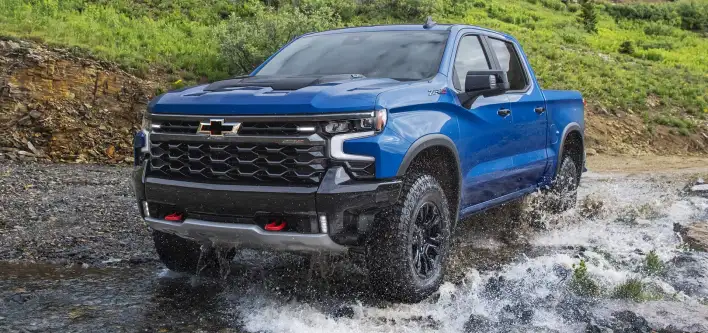
Switching from a heavy-duty towing posture to a relaxed weekend cruise is instant in our truck lineup. These features allow you to maintain professional-grade visibility without manual recalibration.

Chevrolet Silverado

Family-Ready Personalization in our SUV Lineup

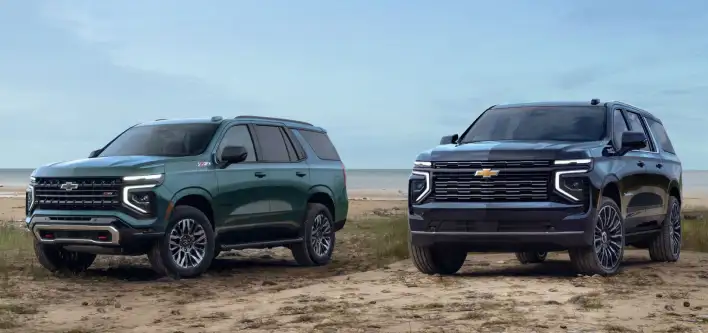
Managing a busy household in Northeast Florida is easier when the car remembers who is driving. Our SUV collection offers multi-driver profiles that cater to everyone in the family.

Family-Ready Personalization in our SUV Lineup
  • Tahoe and Suburban: High-capacity SUVs like the Premier and High Country models include full memory suites for both seat and mirror positions. New Chevy Tahoe for Sale
  • Equinox and Traverse: Look for these convenience upgrades on the RS and Premier trims to simplify your school runs and grocery trips. New Chevy Traverse for Sale

High-Performance Customization

Even our most athletic models prioritize driver ergonomics, ensuring you are perfectly positioned for a spirited drive along the coast.

Chevrolet Corvette
  • Chevrolet Corvette: Standard on the 2LT and 3LT trims, these memory banks keep your performance-tuned seat exactly where you need it. New Chevy Corvette for Sale

Digital Profiles and Navigation

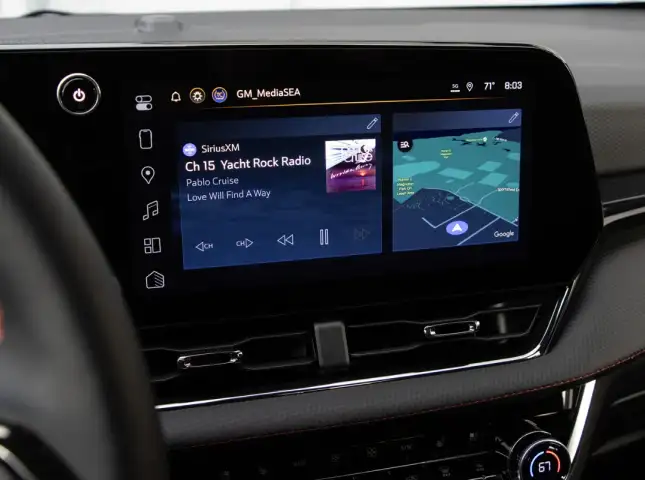
Expanding your personalization into the digital realm allows for a completely custom tech experience. By creating a unique Driver Profile on your infotainment screen, your Chevrolet remembers your favorite radio stations, climate settings, and even your most frequent navigation destinations. This ensures that your media is ready to play the moment you start the engine, providing a cohesive transition from your home to the road.

Digital Profiles and Navigation

Experience Custom Comfort at Gordon Chevrolet

Finding a vehicle that feels tailored to your specific needs is simple when you shop our selection of equipped SUVs and trucks. If you share a vehicle or frequently shift between different driving styles, visiting Gordon Chevrolet allows you to test these memory banks in a real-world setting. Our staff can help you navigate the various trim levels to find the perfect match for your lifestyle. You can simplify the process by evaluating your Trade-In Value or getting pre-approved when you Apply for Financing online. Let us show you how a personalized cabin makes every mile on the Jacksonville roads more enjoyable.

Chevy Driver Memory & Personalization FAQ

Can I stop the seat from moving back when I turn off the car?

Disabling the "Easy Exit" seat function is simple through the vehicle settings menu on your touchscreen. This is helpful if you prefer to keep your driving position stationary.

What should I do if my seat settings were erased?

Occasional battery service or a deep discharge can clear the memory bank. You will need to reposition your hardware and perform the SET button sequence again to restock your data.

Do the side mirrors really save their position too?

Yes. Both exterior power mirrors are synchronized with your "1" and "2" buttons, meaning your blind-spot visibility is restored automatically.

Why does the seat stop moving if I release the button early?

Safety sensors require you to hold the button until the movement is complete to prevent accidental pinching of objects. You can enable "Auto Memory Recall" in your settings to change this to a single tap.

Can I have two different positions for myself?

Many solo drivers in Jacksonville use button "1" for their standard commute and button "2" for a more reclined, relaxed position for long highway trips.

Does the passenger get memory buttons as well?

In most Chevrolet models, the memory technology is focused exclusively on the driver to ensure the operator has consistent access to the pedals and mirrors.

Will my key fob automatically move the seat?

If you have "Recall by Key Fob" enabled in your settings, the car will identify which driver is approaching and begin adjusting the cabin before you even open the door.

Is it difficult to link my radio favorites to my profile?

The system handles this automatically. Once your Driver Profile is active, any changes you make to your presets or climate settings are saved to that specific profile. Service and Parts Financing

Menu

Gordon Chevrolet,inc. 30.1292, -81.78918.